
Hello, Isabe… Oh no, I mean, the new resident of Greenshade Town, dear Florist! (Don't worry, your secret is safe with me, Tomato.)
Running a flower shop isn't too hard, but it's not a walk in the park either. With Tomato's help, you're sure to become the top floral expert in Greenshade Town!
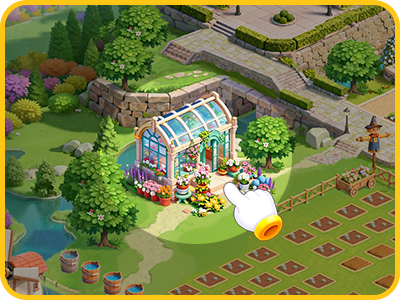
Flower Cultivation
Before you can plant any flower, you first need to cultivate it.
In Cultivation, choose the flower you want to cultivate, and add the required materials. Cultivation takes some time—just wait until the countdown ends.
Once you've finished cultivation, you can plant that flower.
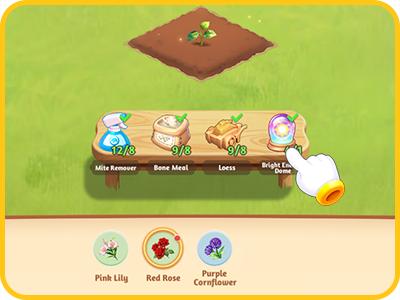
You can unlock new flower species in many ways: leveling up, completing game tasks, purchasing at Flower Shop, participating in limited-time events and more.
Planting Flowers
Planting can be broken down into 3 steps: sowing, watering, and harvesting. Now, let Tomato walk you through each one!
Step #1: Sowing
In the planting area, tap any empty patch of land, and you'll see the flowers available for planting. Drag a flower onto an empty patch, and you're done!
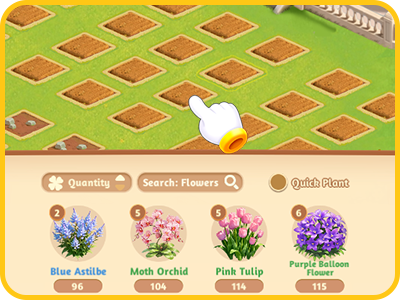
Pro tip: Tap and hold the flower, then drag it across multiple patches to plant continuously. Furthermore, if you check the "Quick Plant" box and tap the flower you want, it will quickly fill all empty patches!
Step #2: Watering
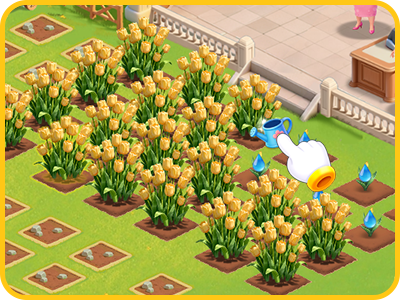
After sowing, flowers need water to grow. To water, just tap the patch and select "Water" from the options!
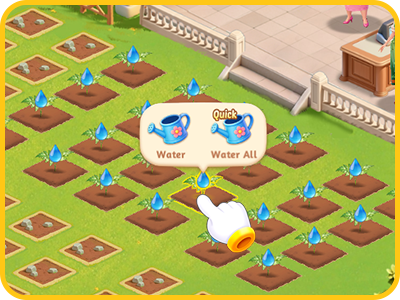
Pro tip: Tap and hold the watering can, then drag it across the patches to water them at once.
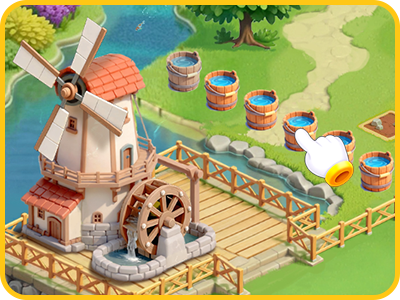
Water Drops, the necessity for watering, are produced at the Waterwheel which can draw and store water in buckets automatically. You can tap the bucket to collect a random number of Water Drops each time.
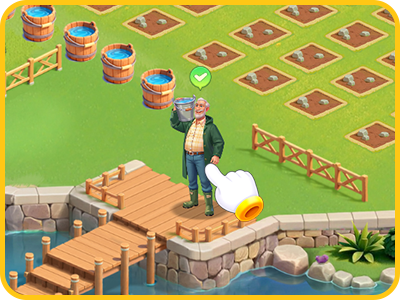
In addition, a hardworking Water Carrier delivers Water Drops during 11:00–14:00 and 17:00–21:00 daily. Don't forget to claim them during these specific time periods, dear Florist!
Step #3: Harvesting
When flowers are fully grown, you can tap them and select "Harvest".
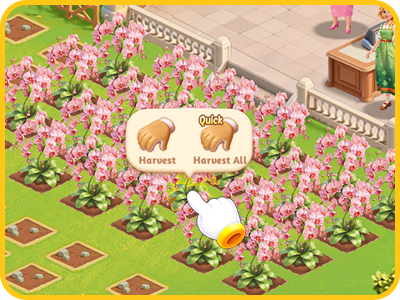
Pro tip: Tap and hold "Harvest", then drag across the patches to gather multiple flowers at once.
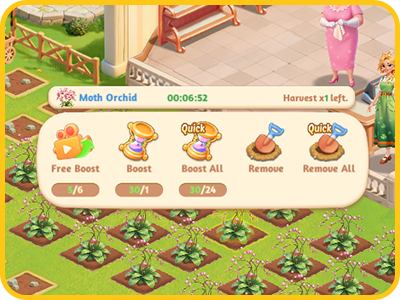
If the flower is upgraded, it might be harvested multiple times—just wait for Harvest Cooldown after each harvest. If you don't want to wait for the next harvest, simply select "Remove" to clear the patches.
Flower Upgrade
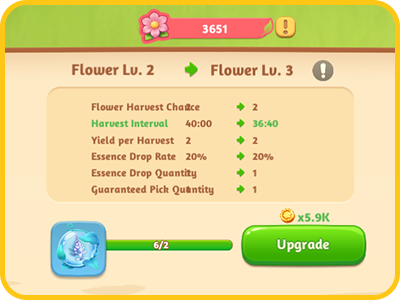
When you plant a flower, there's a chance to obtain its Essence which can be used to upgrade that flower.
For example, planting Violets might give you Violet Essence, and you can use the Essence to upgrade your Violet.
Upgrading flowers increases the number of harvest chances, boosts the yield per harvest, and shortens the Harvest Cooldown—it greatly improves your planting efficiency. Hence, once you've saved enough Essence, make sure to upgrade!
So, dear Florist, after Tomato's little lesson, do you feel like you know flower growing inside and out?
But hey, learning to grow flowers is only the first step in running a great flower shop. There's plenty more work ahead. No worries though! Tomato's got your back and will keep helping you settle into your new life in Greenshade Town.
Wish you a wonderful time in Greenshade Town, dear Florist!
(All screenshots are from a development build. Please refer to the actual in-game experience.)
Florascapes, your fingertip garden!
[Download the Game]
https://florascapes.wishgamer.com/download.html
[Customer Service]
florascapes_service@friendtimes.net
[Official Community]
Facebook: https://www.facebook.com/florascapes.official
Discord: https://discord.com/invite/FzzxrtE72f